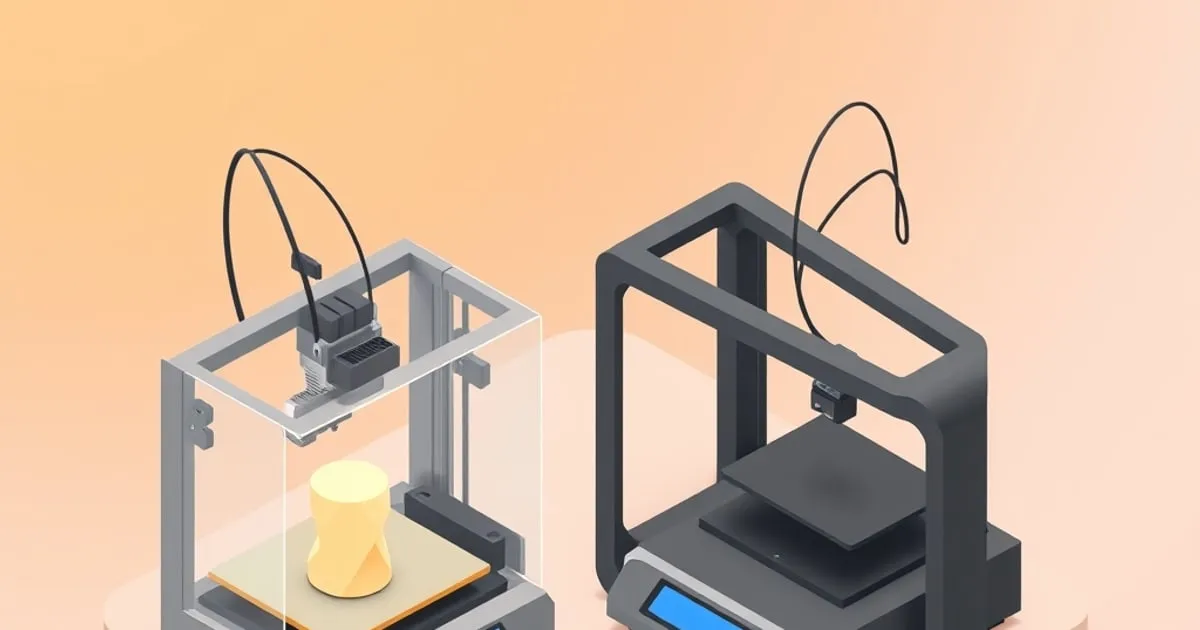
Bambu Lab A1 vs A1 Mini: Which One Should You Buy?
Specification-led Bambu Lab A1 vs A1 Mini comparison: the shared toolhead and motion limits, the build volume and bed ceiling that differ, and who buys each.
Put the two published specification sheets side by side and the Bambu Lab A1 vs A1 Mini question gets much simpler than the marketing suggests. These are not two printers at different quality levels. They are the same toolhead, the same motion system, the same speed and acceleration limits and the same sensor package, bolted to two different sized frames. Four differences are worth deciding on — build volume, bed temperature ceiling, footprint and power draw — and only one of them changes what you can print.
Buy the A1 Mini unless you have a concrete reason to need a 256 mm bed or a heatbed that reaches 100°C. Buy the A1 if you do. There is no quality penalty either way.
Specification comparison
| Specification | A1 | A1 Mini |
|---|---|---|
| Build volume | 256 × 256 × 256 mm | 180 × 180 × 180 mm |
| Max build plate temperature | 100°C | 80°C |
| Max hot end temperature | 300°C | 300°C |
| Max toolhead speed | 500 mm/s | 500 mm/s |
| Max toolhead acceleration | 10,000 mm/s² | 10,000 mm/s² |
| Max hot end flow | 28 mm³/s | 28 mm³/s |
| Hot end | All-metal | All-metal |
| Extruder gears | Hardened steel | Steel |
| Included nozzle | 0.4 mm stainless | 0.4 mm stainless |
| Optional nozzles | 0.2 / 0.6 / 0.8 mm | 0.2 / 0.6 / 0.8 mm |
| Compatible plates | Textured PEI, Smooth PEI, High Temperature (Smooth PEI), Cool Plate | Textured PEI, Smooth PEI |
| Display | 3.5 in IPS touchscreen | 2.4 in IPS touchscreen |
| Machine dimensions | 385 × 410 × 430 mm | 347 × 315 × 365 mm |
| Net weight | 8.3 kg | 5.5 kg |
| Max power | 1300 W @ 220 V, 350 W @ 110 V | 150 W |
| Multi-colour | AMS lite, 4 colours | AMS lite, 4 colours |
| Filament rated “ideal” | PLA, PETG, TPU, PVA | PLA, PETG, TPU, PVA |
| Filament “not recommended” | ABS, ASA, PC, PA, PET, CF/GF | ABS, ASA, PC, PA, PET, CF/GF |
Sources: Bambu Lab A1 specifications and A1 Mini specifications.
What is genuinely identical
Everything that determines print quality. Both machines run the same all-metal hot end, the same 0.4 mm stainless nozzle with the same optional 0.2, 0.6 and 0.8 mm sizes, the same 500 mm/s and 10,000 mm/s² motion limits, and the same 28 mm³/s flow ceiling — a figure Bambu qualifies on both sheets as measured on a 150 × 150 mm single wall in Bambu ABS at 280°C, so treat it as a bench maximum rather than a number you will hit in PLA. Both carry the full sensor set: filament runout, filament odometry, tangle detection, power loss recovery and a 1080p timelapse camera. Both use closed-loop control on the part cooling and hot end fans. Both accept the same AMS lite for four-colour printing.
One small difference the spec sheets do record inside the toolhead: Bambu lists the A1’s extruder gears as hardened steel and the A1 Mini’s as steel. Nothing in the published specifications suggests it changes print quality, and neither machine is rated for the abrasive filaments where gear hardness would start to matter — both list carbon and glass fibre reinforced polymers as not recommended.
That matters because it collapses a lot of the usual comparison work. A part that prints well on one prints identically on the other at the same settings. The tuning process is the same on both, and a filament profile calibrated on one transfers directly — the same Orca Slicer calibration sequence applies unchanged.
The kinematic is also the same, and worth understanding before you buy either: both are bed-slingers, moving the print bed on the Y axis rather than moving only the toolhead. Bed-slingers at 10,000 mm/s² fight the inertia of the bed and whatever is printed on it, which is why tall, narrow models can shift layers at the most aggressive speed profiles on both machines. It is a platform characteristic, not a defect of one model.
The four differences that matter
Build volume: 180 mm versus 256 mm
This is the real decision. 180 mm sounds generous until you start printing anything designed for a standard 220 or 250 mm bed, which is most community models. Functional parts, tool holders, printer upgrades and cosplay pieces are routinely modelled against a 250 mm envelope. On the Mini they need splitting and gluing.
The counter-argument is that splitting is not the hardship it sounds like, and the majority of prints most people actually make — brackets, organisers, replacement clips, miniatures, enclosures for small electronics — fit inside 180 mm comfortably. The honest test is to look at what you have downloaded or modelled in the last six months and measure the largest dimension. If more than one or two exceed 180 mm, buy the A1.
The height difference deserves separate mention. 256 mm of Z is a meaningful jump for vases, tall organisers and single-piece figures, and Z is the dimension you cannot work around by splitting and gluing without a visible seam across the model’s most visible face.
Heatbed ceiling: 80°C versus 100°C
The A1’s bed reaches 100°C, the Mini’s stops at 80°C. This is the only specification that changes which materials are viable, and it is more limited than it first appears.
80°C is sufficient for PLA (typically 55–65°C), PETG (typically 70–80°C) and TPU. The A1’s extra 20°C brings 90–100°C bed temperatures into range, which is what ABS and ASA want.
The catch: Bambu lists ABS, ASA, PC, PA, PET and fibre-reinforced polymers as “not recommended” on both machines. The bed will reach the temperature, but neither printer is enclosed, and styrene materials warp and delaminate in open air regardless of what the bed does. The 100°C bed is genuinely useful for high-temperature PETG variants, some PCTG, and giving large PETG parts a firmer grip. It does not turn the A1 into an ABS printer. If engineering materials are the goal, an enclosure is the requirement, not a hotter bed — the reasoning is set out in do you need a printer enclosure.
The plate lineup follows from the bed. Both machines list the Textured PEI and Smooth PEI plates; the A1 adds the High Temperature Plate and the Cool Plate on top of those, which the Mini’s 80°C ceiling has no use for.
Footprint and power draw
The A1 occupies 385 × 410 × 430 mm and weighs 8.3 kg. The Mini is 347 × 315 × 365 mm and 5.5 kg. The width gap is smaller than the build volumes suggest; the depth and height gaps are where you feel it. Bed-slingers also need clearance in front and behind for the bed’s full travel, so on both machines the stated depth is the machine, not the swept volume — budget roughly the Y travel again on top.
Power is the specification most buyers skip, and the A1’s number is often quoted wrong. Bambu rates it at 350 W on a 110 V supply but 1300 W at 220 V; the Mini is a flat 150 W. If you are on 230 V mains the A1 is a genuinely different electrical load from the Mini, not a marginally larger one, which matters on a shared circuit or a UPS. Both are still modest next to an enclosed machine holding a chamber at temperature.
Screen
3.5 inches versus 2.4 inches. Neither is comfortable for real input. Both are fine for starting a job and checking filament state, and both are best driven from Bambu Handy or the slicer. This should not influence the decision.
Price and the AMS lite question
Both machines are sold two ways: standalone, or as a Combo bundled with an AMS lite. Bambu runs promotions on the A-series often enough that any figure printed here would be stale within weeks, so check the current listing on the Bambu store before committing. The number that stays useful is the gap: the A1 carries a consistent premium over the Mini at the same configuration, and that premium has historically been a good deal smaller than the difference between either A-series machine and an enclosed one.
The arithmetic worth doing is on the AMS lite rather than the printer. It is sold separately and works on both machines, so buying a standalone now and adding one later costs a little more than the Combo but spreads the outlay — and it is the sensible route if you are not yet sure multi-colour is something you want. Four-colour printing dumps a significant amount of filament into the purge tower and stretches print times substantially on colour-heavy models. Plenty of owners find the novelty fades and single-colour printing with the occasional manual swap covers what they actually make.
One capability note: the AMS lite is a four-slot unit, and four colours is where the A-series tops out. If your reason for buying is many-colour work, that ceiling is the specification to check against your models before you order either machine.
Who should buy which
Buy the A1 Mini if you print mostly PLA and PETG parts under 180 mm, desk or shelf space is constrained, or you are buying a first printer and want the lowest-risk entry into a well-supported ecosystem. The detailed capability breakdown is in the A1 Mini review, and it sits near the top of the best budget FDM printers under $300 list for good reason.
Buy the A1 if models above 180 mm are a regular part of your work, you print tall single-piece objects, you want the larger plate to batch many small parts in one job, or you want the 100°C bed for high-temperature PETG. Batch printing is the underrated argument here: 256 × 256 mm holds roughly twice the parts per plate, which matters more than build volume for anyone printing small items in quantity.
Buy neither if your material list includes ABS, ASA, polycarbonate, nylon or fibre-reinforced filament. Both A-series machines are open-frame and both list those materials as not recommended. The step up is an enclosed machine: the Bambu Lab P1S is the direct route, a CoreXY with the same 256 × 256 × 256 mm volume inside a closed chamber, and the chamber is what makes the styrene materials the A-series is explicitly not rated for realistic. Where it sits against the rest of the market is covered in the best FDM printers by price tier ranking.
The short version
The A1 and A1 Mini are the same printer at two sizes. Neither is the “better” machine and there is no quality difference to weigh. Decide on build volume, confirm 80°C is enough bed heat for your material list, check the footprint against the space you actually have, and buy the smaller one if both work — the money saved buys a lot of filament, and choosing the right filament will do more for your results than the extra 76 mm of bed.
Sources
Related

Bambu Lab A1 Mini Review: Fast, Quiet, and Actually Worth $299?
A specification-led Bambu Lab A1 Mini review: print speed, AMS Lite multi-color behavior, the reliability failure modes, and who should actually buy it.

Best PLA Filament Brand Review 2026: Prusament, Bambu, Polymaker
A spec-by-spec best PLA filament brand review 2026, comparing Prusament, Bambu Lab PLA Basic, and Polymaker on tolerance, strength, and drying needs.

Orca Slicer Calibration: Every Built-In Test, In Order
Every test in Orca Slicer's Calibration menu, the order the project documents running them in, and which profile each result is written back into.